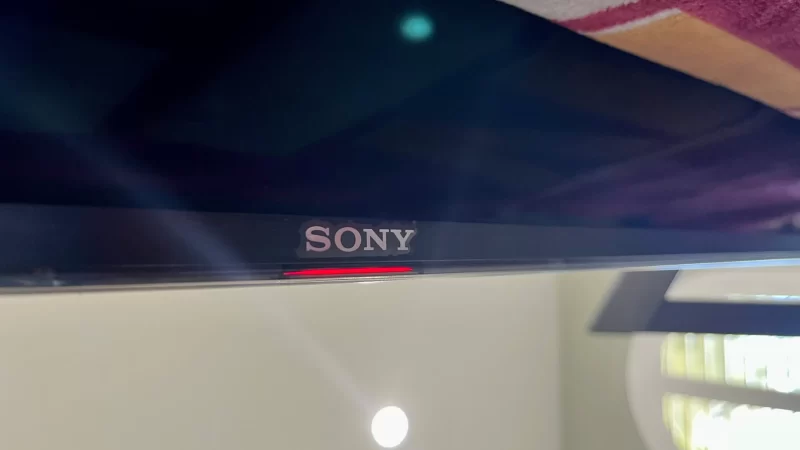
If your Sony TV red light blinks 6 times, it can be alarming but don’t panic. This pattern usually indicates a specific internal problem, and understanding the cause can help you decide whether it’s something you can fix yourself or if you need a professional. In this guide, we’ll break down the most common reasons for the 6-blink error and provide step-by-step tips to troubleshoot it.
What the 6 Blinks Mean
Sony TVs are designed to flash their red standby light as an error code. Each series of blinks points to a particular issue within the TV. When you see six blinks, it usually relates to either the power supply or backlight system.
Knowing this is helpful because it narrows down your troubleshooting steps and saves time.
1. Power Supply Issues
One of the most frequent reasons your Sony TV red light blinks 6 times is a problem with the power supply board.
Common Signs of Power Supply Problems:
TV won’t turn on, or the standby light keeps blinking
Loose or disconnected wires on the power supply board
Burnt smell or signs of corrosion on the board
What You Can Do:
Inspect the connections – Many times, a loose connector around the LED driver section is the culprit. Make sure all cables are seated properly.
Check for damage – Look for burnt components or signs of corrosion.
Replace the power supply – If reseating connections doesn’t work, replacing the board is usually straightforward. Make sure to get the exact part number from your circuit board for compatibility.
💡 Pro Tip: Power supply replacements are generally easier and safer than backlight repairs. If you’re comfortable handling electronics, this could be a quick fix.
2. Backlight Issues
Another reason for the Sony TV red light blinks 6 times is a backlight failure. The backlight system illuminates the screen, and if it’s not working correctly, the TV will trigger the 6-blink error.
Signs of Backlight Problems:
TV screen is dark or has uneven lighting
Flickering or dim display
Error persists even after power board replacement
Important Safety Note:
Replacing a backlight is tricky and risky. The process involves removing the screen and handling fragile components like COF ICs. A small mistake could crack the display or permanently damage the board. Unless you’re experienced, it’s best to leave backlight repairs to professionals.
Final Thoughts
Seeing your Sony TV red light blinks 6 times can be stressful, but most cases are manageable. Start by checking the power supply board—many times, a loose connection or simple replacement fixes the problem. Backlight issues are more complex and should be handled by a professional.
By following these steps, you can diagnose the cause of the 6-blink error and make an informed decision on repairs, saving time and avoiding unnecessary frustration.
💡 Remember: Safety first. If you’re ever unsure, calling a technician is the smart choice.
Luis Analuisa

 Weather Proof Your TV: The Smart Way to Protect Outdoor ElectronicsSeptember 16, 2025/


Thanks for explaining.